AI2P — AI to People
A self-hosted task planner where the executor can be an AI agent
Your Jira, where some of the cards get done by themselves. People and AI work in one queue: the AI takes what it can do, the rest waits for people.
Free and open source (Apache 2.0) · Windows, Linux, macOS · Without an API key AI2P works as an ordinary planner for people.
Your data stays with you
The database, the project files and the keys lie next to the program on your computer.
Any model, including local ones
Claude, GPT, Gemini, DeepSeek, Qwen over an API, Claude Code by subscription, local models on your own video card.
People and AI in one queue
Not "an AI agent instead of the team": the AI does what it can, people do the rest, as in any planner.
What it does
Leads the work, not just a to-do list
Executor, due date, priority, acceptance criteria, blocking tasks and subtasks. Finishing a task starts the ones that were waiting for it.
Connects AI of any kind
Text models over an API, Claude Code, local models via llama.cpp, and pictures, video, sound and 3D via ComfyUI and fal.ai. Each is an ordinary executor with skills, a price and limits.
Picks an executor itself
By the task's skills and the project's "cost ↔ quality" setting: AI first and then a person, or the other way round.
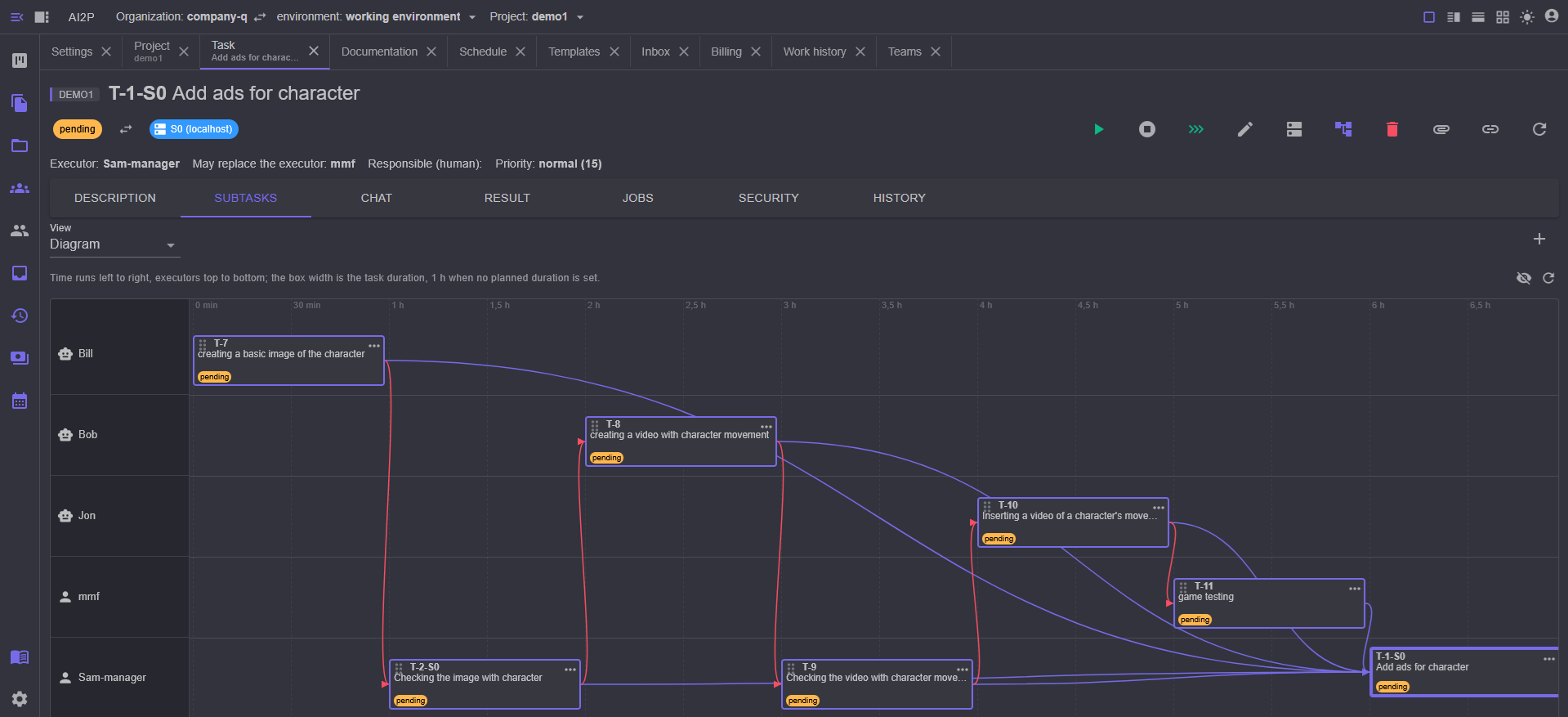
Splits big work into parts
An agent creates subtasks and starts them by priority; the last task sums up and sends back for rework whatever did not add up.
Remembers experience
Lessons learned are saved to the project, a template or the whole organization and put into the next job automatically.
Templates and schedules
A template is a tree of tasks; a new working process is deployed from it in one action. Recurring work runs on a schedule.
Imports tasks
From Trello, GitHub, GitLab and Figma.
Keeps the AI within bounds
Security rules decide what the agent may do, what needs a person's confirmation and what is forbidden. The agent does not leave the project folder.
Plugins and MCP
Connect MCP servers and SaaS (for example Wix) as agent tools under the same security rules.
Speaks your language
Interface, messages, agent prompts and documentation in English, Russian, Spanish, Portuguese and Chinese.
How it works
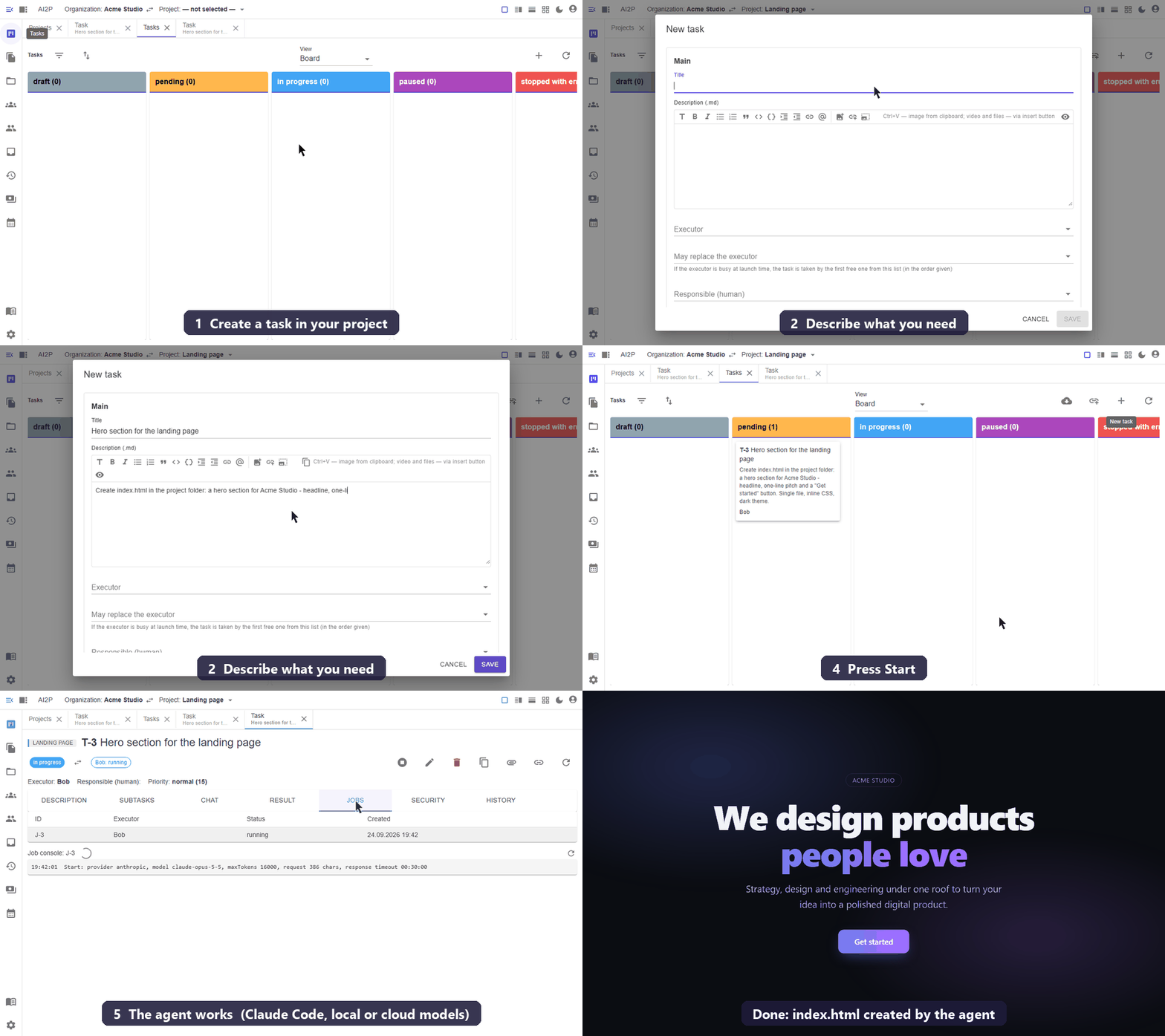
- Create a project and name its folder — that is where the agent reads and writes files.
- Write a task as you would for a person: title, description, acceptance criteria.
- Press "Start". The task goes to an AI executor; its work is visible in the history, and it asks questions in the task chat.
- The result lands as the task's artifact, and the task moves to review.
AI2P builds itself
AI2P is developed in AI2P: more than 190 releases. Specifications, code, tests, documentation and release builds are done by AI executors; a human sets the tasks and accepts the results.
See the release history →AI farm: one task, many computers
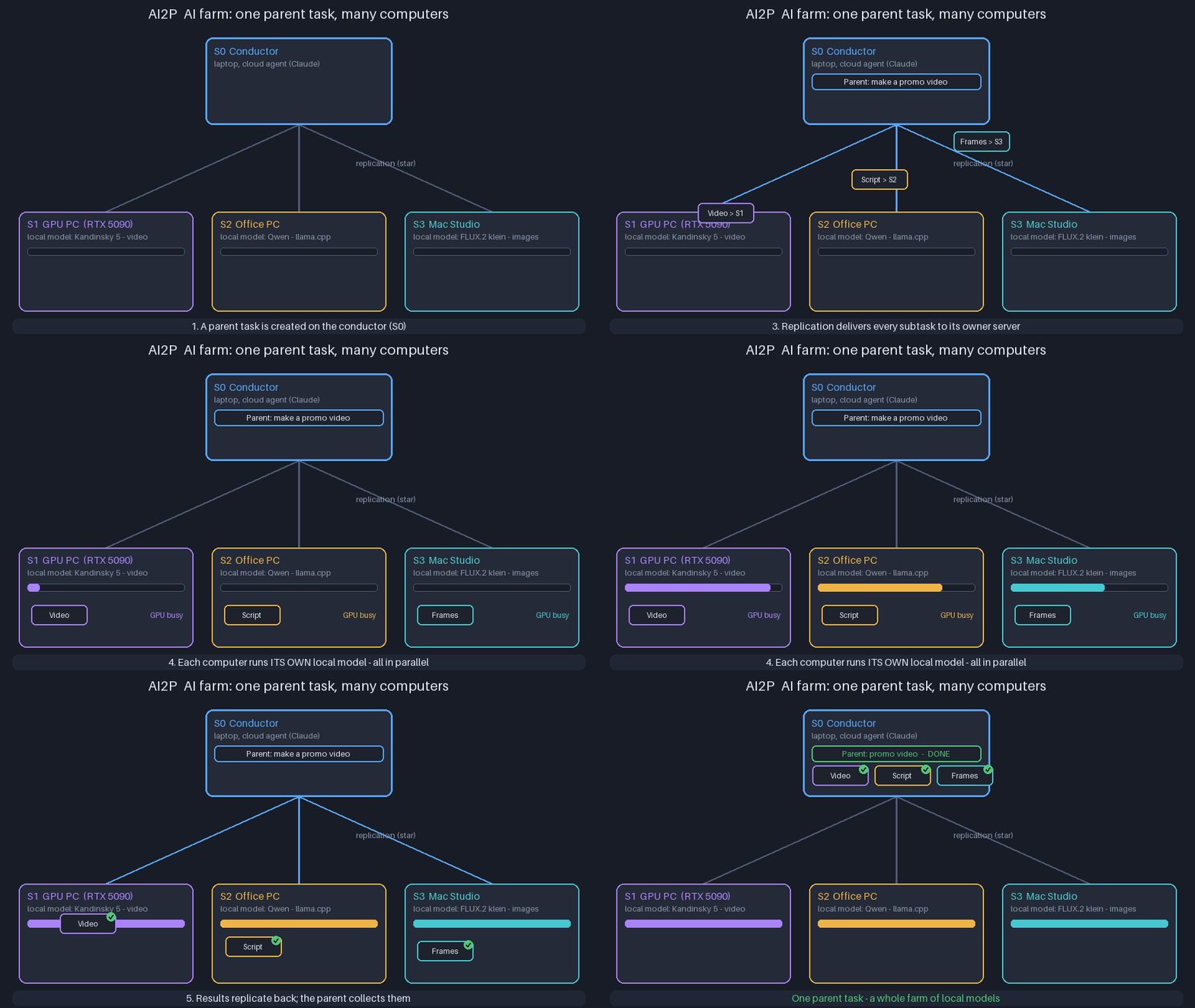
A local model lives where its weights and video card are. The model cannot be moved, but the work can: servers join a cluster and replicate tasks, chat, executors and experience.
- Every machine sets up its own executors: "Kandinsky on S1", "Qwen on S2", "FLUX on S3".
- The parent task is split into subtasks, each with its executor and owner server.
- Replication delivers subtasks and brings results back; the parent task gathers them into one result.
- A switched-off computer stops nobody: its subtasks wait and catch up later.
AI2P in VS Code
Project card, workspace, settings, documentation and task cards open as editor panels next to your code. The extension ships with the program; press "Connect VS Code" in the project settings. Works with VS Code, Insiders, VSCodium, Cursor and Windsurf.
Get started
1
Download the package with "full" in its name — everything needed is inside, no .NET to install.
Releases2
Install and open the interface in the browser. Follow the quick start for the first AI task in a few minutes.
Quick start3
Add an API key, a Claude Code subscription or a local model. Without a model AI2P is a planner for people.
AI modelsRequirements: Windows 10/11, Linux or macOS; administrator rights only for the installation.
Documentation
The documentation is on GitHub in five languages. The links below open it in the language selected on this site.